Now you are choosing to make the payment with your debit/credit card, please pay attention to the following instructions:
- 1. Find the "Payment Information" column below.
- 2. Complete your Manuscript ID and Email Address as required. Input the amount of the Article Processing Charge (APC) you are supposed to pay in “Amount in USD”.
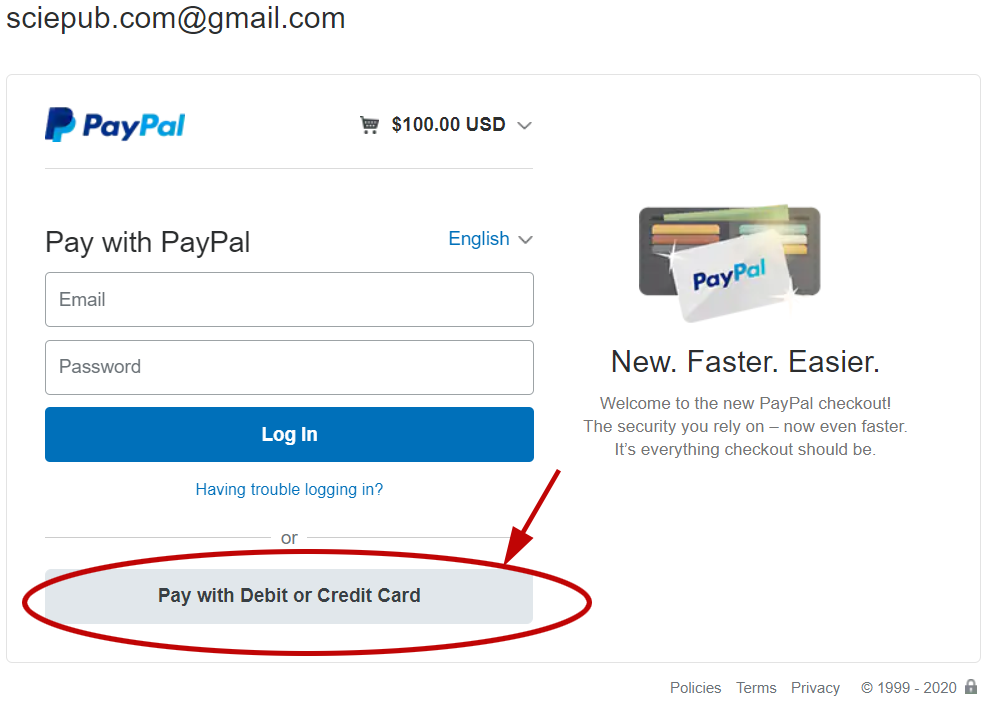
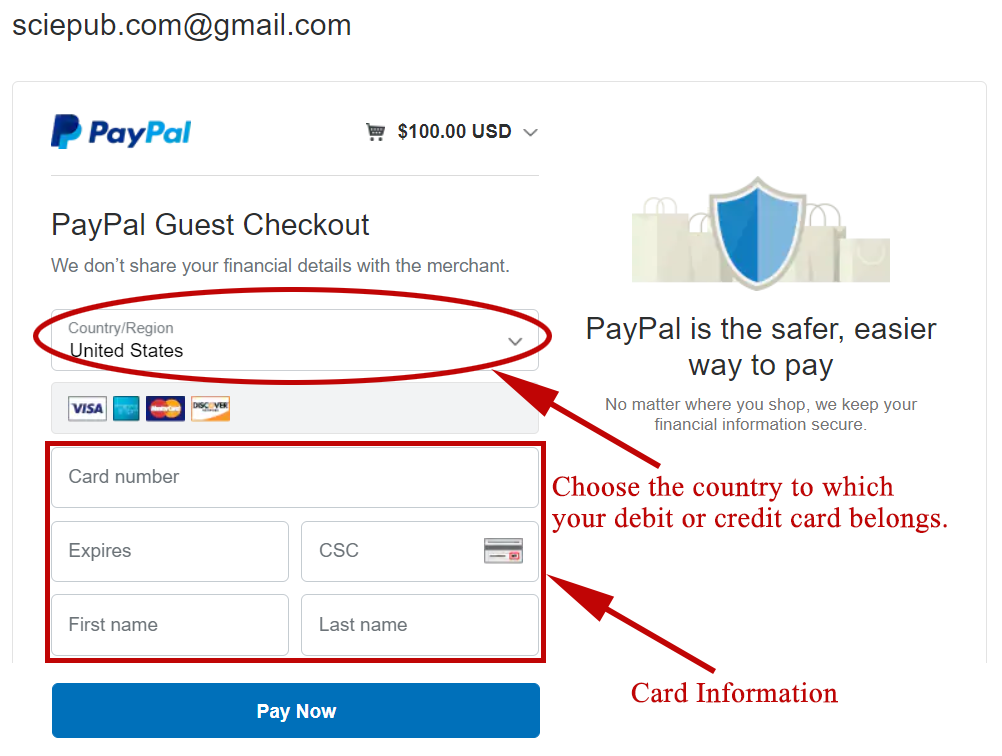
- 3. Click "submit", then you will come to another web page (as shown in the first picture). Click "Pay with debit or credit card", then you will go to the next page (as shown in the second picture).
- 4. Choose the country to which your debit or credit card belongs. Then complete the required information.
- 5. Click "Pay Now" to complete the payment process of your APC.